The session poll is where you tell your GM which of the proposed times you can make. It opens whenever a scheduling round starts.
Open the poll
- Open the campaign from your dashboard.
- Click Open Session Poll in the banner at the top.
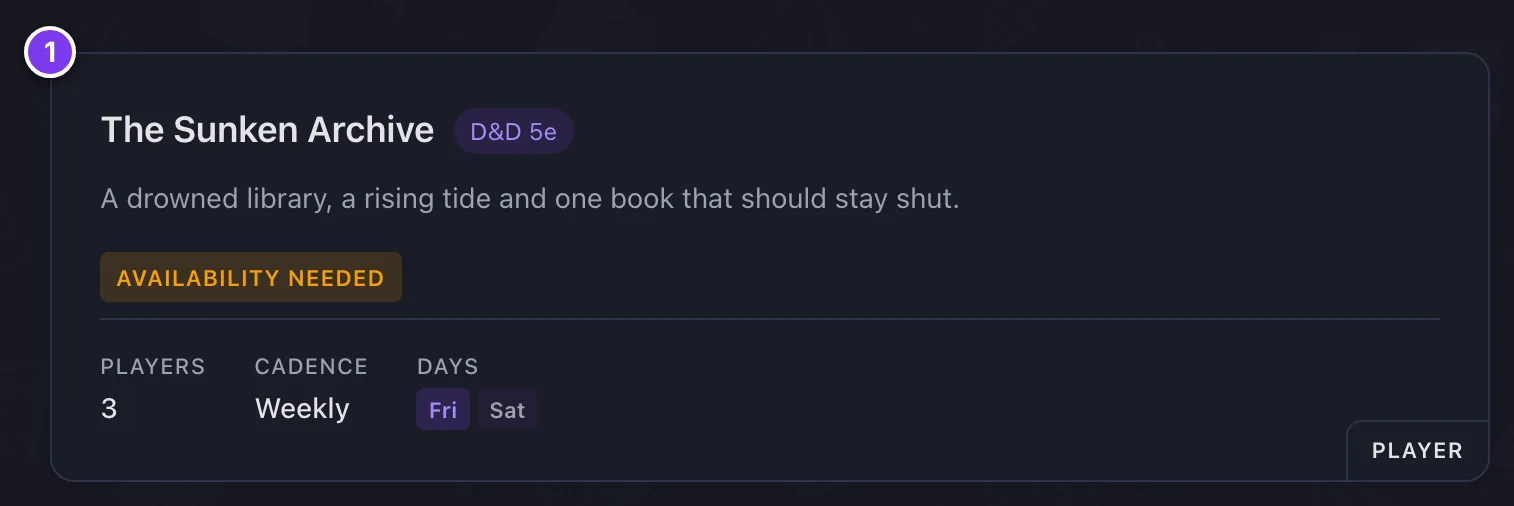

The banner shows only while a round is open and your answer to it is outstanding. The badge beside the round number reads Ready once every time in the poll has your answer.
The three answers
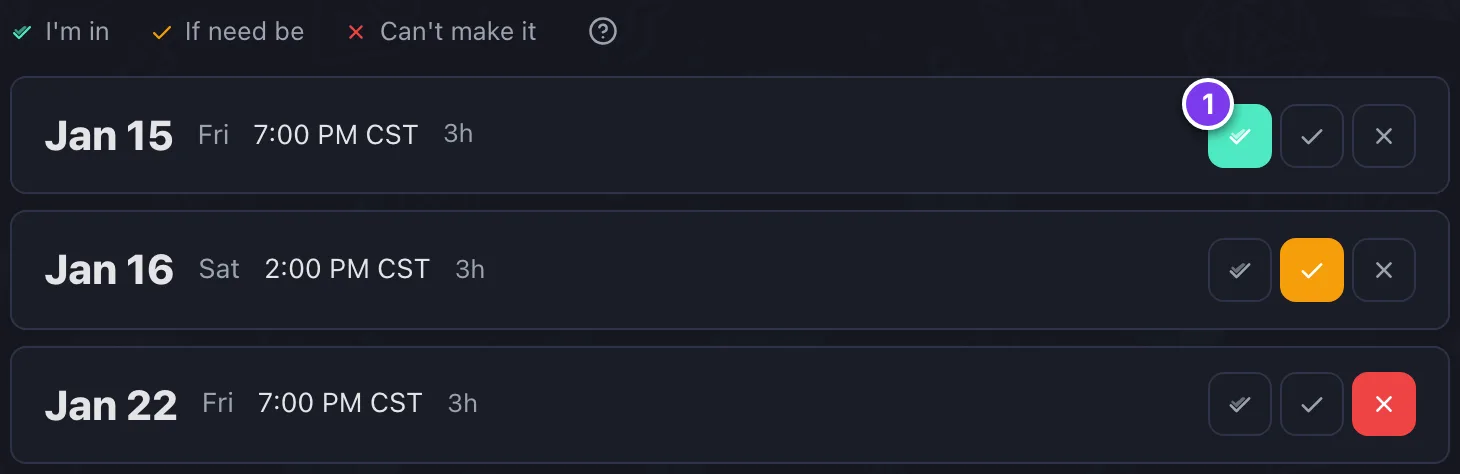
- I'm in. You can make this time.
- If need be. You could make it, but it is not ideal.
- Can't make it. You are out.
Roll Call ranks a time higher when more players are fully in. Use if need be for times that work at a push, not as a maybe.
Conflict hints
Each time carries the reasons it may not suit you. A hint can say the time conflicts with your recurring availability, name an event from a connected calendar, name a session of another campaign you are in, or name a piece of your time off.
Other events on the same day are listed underneath for context, even when they do not clash.
Time windows
When the campaign's window for that day is longer than a session, the slot shows a window instead of one time.
Submitting
- Check the answer chosen for every time in the list, and change any that are wrong.
- Click Submit Availability.
- Confirm when asked.

Answers lock once submitted. To change one, ask your GM to reset your availability, then answer the poll again.
If the GM re-polls while your page is open, Roll Call saves your answers for times still on the poll and brings you back to answer the new ones. You are marked ready once you have.
Carried-over answers
Unless your GM clears saved answers, answers you already gave for times still on the table stay put. The poll asks only about what changed. If nothing changed, you are marked ready without seeing a poll at all.
An empty poll
"You're all caught up" means every time has an answer. When the poll has no times left to ask you about, or no round is open, the page says where scheduling stands instead. Nothing is asked of you until there is something to answer.
With Auto-RSVP on, Roll Call answers for you and there is never anything to submit.